Who this is for
This guide is for kitchen team members using Chef-Ops-Pro day to day. You’ll only see the modules your manager has switched on for your property, so don’t worry if a section here doesn’t appear in your account.
> **Note on Outlet Managers:** if you’ve been given Outlet Manager access for your outlet, you get everything in this guide plus a few extra permissions, called out where relevant below.

Getting started
1. Your manager invites you by email from **Users & Access**. Open the invite email and follow the link to set your password.
2. Go to the login page, enter your email and password, and click **Sign In**. Tick **Keep me signed in** to stay logged in on that device.
3. Forgotten your password? Click **Forgot Password?** on the login screen.
4. You land on **Home** — your day at a glance: today’s and next shift, your remaining holiday, **Today’s Checks** (how many of your required temperature/checklist checks are done), and a card for each module needing action, marked **ACTION NEEDED**, **INFO**, or **DONE**.
The staff view uses a row of tabs across the top rather than a sidebar: **Home, My Profile, Training, Rotas, Time Off, Team Log, Ordering**. Other modules — Food Temps, Fridge Temps, Delivery Temps, Maintenance, Incidents, Checklists, Food Safety, Reports — are opened from the action cards on **Home**, not from the top tab bar.
My Profile
1. Click **My Profile** in the top tab bar.
2. Click **Take photo** or **Choose photo** to set your headshot.
3. Use the **Holiday**, **Days Off**, **Sickness**, and **Right to Work** tabs to manage each of those in turn — the same layout your Admin sees on their own profile.
4. Click the **Account** tab to change your password or email address, add an emergency contact, and check your employment details (job role, contract type, pay, whether your P45 has been received).
Holiday and Days Off
– View your annual holiday entitlement and how many days you’ve used, have pending, and have remaining, from **My Profile → Holiday**, or from **Time Off** in the top tab bar.
– Click a day on the calendar to mark it as **Holiday** (counts against your allowance) or click again to switch it to **Day Off** (a rest day, no allowance used). A third click deselects it.
– Days within 14 days of today can only be booked as a Day Off, not Holiday.
– Add an optional reason, then click **Submit request**.
– Requests show as Pending until your manager approves or rejects them.
Temperature Logging

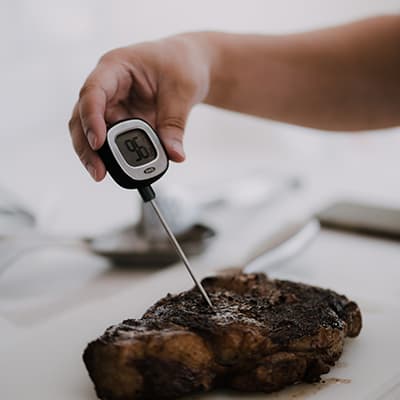
– **Food Temperatures** — from the **Food Temps** card on Home, choose the **Food Temperature**, **Blast Chilling**, or **Probe Calibration** tab, fill in the check type, food/dish name, and temperature, then click **Add log**. Entries are immutable once saved.
– **Fridge Temps** — from the **Fridge Temps** card, click into the open AM or PM slot for a unit and log the reading. Out-of-range readings are flagged automatically and notify your manager.
– **Delivery Temps** — log supplier, product, temperature, and package condition when a delivery arrives, and mark it **Accepted** or **Rejected**. If nothing’s due in, tick **No deliveries received today** instead.
Rotas

Click **Rotas** in the top tab bar. Toggle between **My shifts** and **Whole team** to see just your own schedule or everyone’s. Only published weeks are visible to you — your manager builds and publishes the schedule. Click **Print rota** for a printable copy.
Team Log
Click **Team Log** in the top tab bar to read and write shift handover notes. Type your note and click **Add handover** — the next shift marks it read once they’ve seen it.
Stock & Ordering

Click **Ordering** in the top tab bar. Choose the **Food** or **Supplies** tab, fill in the product name and optional quantity/unit/notes, and click **Add request**. Your request appears under **Requested (pending)** — your manager marks it **Ordered** or **Not ordering**; you can’t change that status yourself.
Maintenance
From the **Maintenance** card on Home, fill in a title (required), and optionally location, equipment, urgency (**24h / 48h / Week**), and a photo, then click **Add maintenance item**. You can see it move from unread through to completed as your manager actions it.
Incident Reports
From the **Incidents** card on Home, click **Report Incident** and fill in the type (food safety, allergen, personal injury, near miss, pest sighting, equipment failure, customer complaint, or environmental), severity, title, description, location, and the immediate action taken.
You can edit an incident you’ve reported while it’s still **Open**. Once it moves to In Progress or Closed, only your manager can make further changes.
> **Outlet Managers additionally can:** move an incident through Open → In Progress → Closed, add and reassign corrective actions, and see incidents reported across every outlet, not just their own.
Food Safety (SFBB)

From the **Food Safety** card on Home, view your property’s live compliance score across the five Safer Food Better Business sections (Cross-contamination, Cleaning, Chilling, Cooking, Management). Click the **Cleaning Schedule** tab to view it (read-only), or the **Pest Control** tab to log a sighting or treatment record yourself.
Reports
Every report tab — food temps, blast chill, fridge temps, maintenance, delivery temps, incidents, and food safety — is available to you as CSV or PDF export, the same as your Admin sees. The combined **EHO Pack** and **Quarterly Export** are Admin-only.
Compliance Tasks
– **Training** — click **Training** in the top tab bar to see **My Training**: your assigned records, completion status, and any e-signature needed. You’ll get alerts before something expires.
– **Checklists** — from the **Checklists** card on Home, click **Start Checklist** on anything due, and work through the tasks — each one is timestamped as you complete it.
– **Documents** — view policy and procedure documents from the Documents card (read-only).
Messages
Click the **Messages** icon (only visible if your property is part of a multi-site organisation) to read announcements sent down from your organisation’s Super Admin. If your property has the Outlets module enabled and you’re assigned to an outlet, a separate **Outlet Messaging** feature lets you message your outlet’s manager directly.
> **Outlet Managers additionally can:** send messages and broadcasts to everyone in their own outlet.
Security
Always click **Logout** explicitly when you’re done on a shared device. (Admins and Outlet Managers additionally set an App Lock PIN or password to re-lock their dashboard between uses — this doesn’t apply to Staff accounts.)