Property Settings
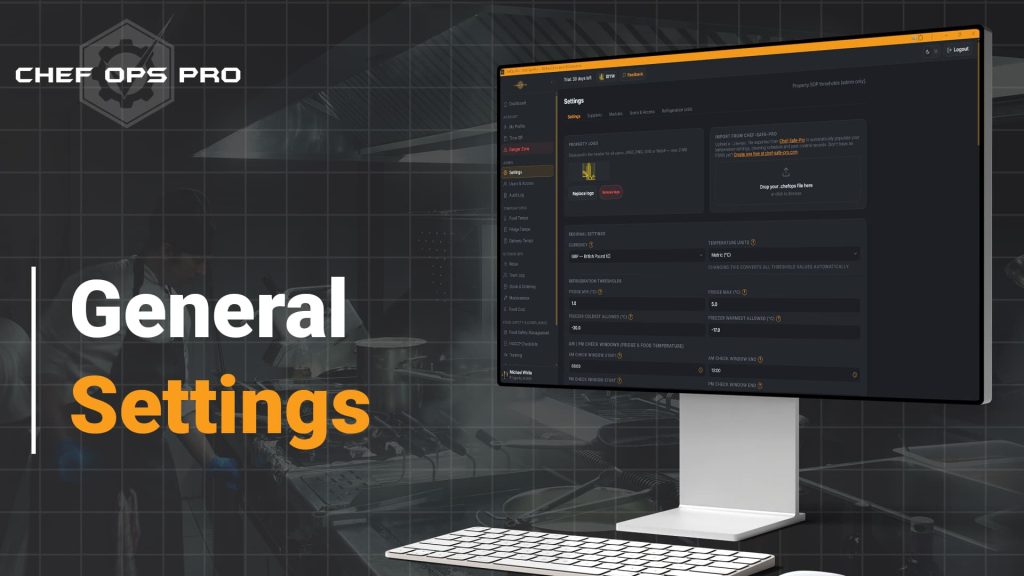
🍴 Configure Once. Stay Compliant Every Day.Property Settings is the operational backbone of Chef-Ops-Pro. Every threshold, target, and preference that drives the platform's compliance checks and warnings is set here. Configured once by an admin, these settings flow automatically into refrigeration alerts, food temperature checks, blast chill compliance, cost reporting, rotas, and staff leave — keeping the entire platform calibrated to your specific kitchen's requirements.

The Problem
Most kitchen management software gives every business the same configuration out of the box — the same temperature thresholds, the same cost targets, the same role structures — regardless of whether you run a fine dining restaurant, a high-volume café, or a contract catering operation. The result is a platform that is technically functional but operationally inaccurate, flagging readings that are acceptable for your specific processes while missing variances that genuinely matter for your kitchen.
Compliance is not a generic standard. Your HACCP plan defines the specific temperature thresholds, time limits, and procedural rules that apply to your operation — and your kitchen management platform needs to reflect those specifics precisely, not approximate them with defaults designed for an average kitchen that does not exist. Chef-Ops-Pro’s Property Settings module is where that precision is established. Configured once by an admin, every threshold, target, and operational preference flows automatically into refrigeration monitoring, food temperature checks, blast chill compliance, food cost reporting, staff rotas, and holiday management — keeping the entire platform permanently calibrated to the exact requirements of your specific kitchen, your specific team, and your specific HACCP plan. Change a setting once and it updates everywhere, instantly, with no manual recalculation required.
Who This is For
Module compliance & Record Keeping

The configuration layer that makes every compliance check accurate and defensible
A HACCP plan is only as effective as the system that implements it. Defining safe temperature ranges, blast chill time limits, and food safety thresholds in your HACCP documentation is the first step — ensuring that the platform monitoring your kitchen enforces those exact standards automatically is the second. Chef-Ops-Pro's Property Settings module bridges that gap. Every threshold configured here flows directly into the platform's compliance checking, alert logic, and audit trail — meaning that when a reading is flagged, it is flagged against your documented HACCP standard, not a generic default. That alignment between your written HACCP plan and your operational platform is precisely what EHO inspectors are looking for when they assess confidence in management, and it is what separates a kitchen that has a food safety system from one that can demonstrate it is being followed.
What you can do with this module
Set refrigeration temperature thresholds
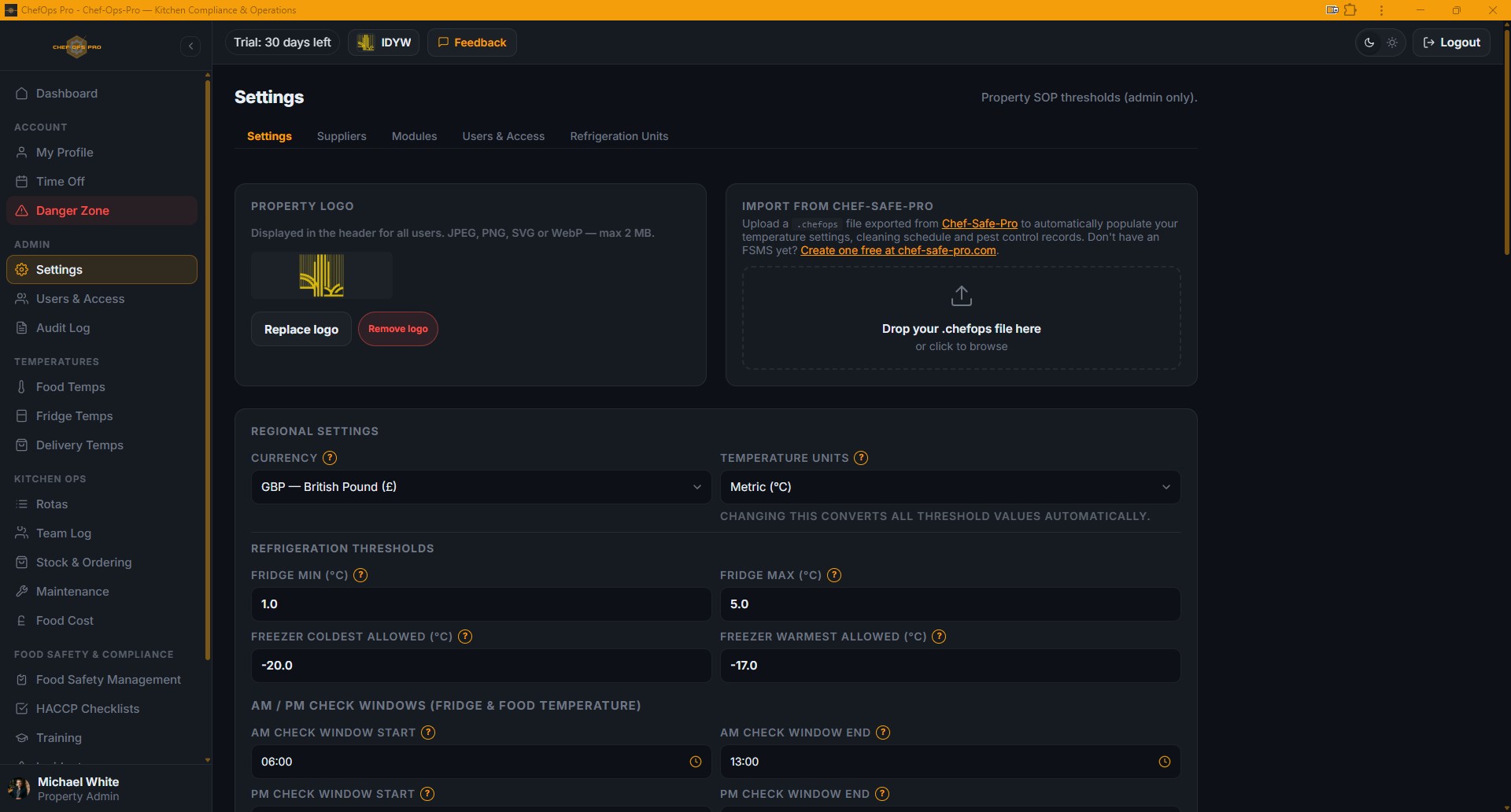
Define minimum and maximum acceptable temperatures for fridges and freezers, as well as AM and PM logging windows, so the system flags readings the moment they drift out of range.
Configure food temperature safety limits
Set minimum temperatures for cooked, reheated, and chilled food, ensuring every probe check is validated against your HACCP-compliant standards.
Control blast chill compliance rules
Define your target blast chill temperature and maximum permitted time limit, with a built-in cap at the 90-minute food safety ceiling.
Set your food cost percentage target
Enter the property’s gross food cost target as a percentage; Chef-Ops-Pro then benchmarks every monthly entry against it automatically.
Choose currency and temperature units
Switch between GBP, EUR, USD and other currencies, and between Celsius and Fahrenheit — all threshold values convert automatically, no manual recalculation needed.
Configure annual holiday entitlement
Set the number of annual holiday days allocated to each staff member at this property, which flows directly into every team member’s leave tracker.
Enable or disable job roles
Control which roles appear in invite forms and rota dropdowns, ensuring the list reflects the actual staffing structure at this location rather than a generic template.
No. Property Settings is designed to be configured by a kitchen owner or manager without technical expertise. Every field is clearly labelled, values are entered in familiar units, and the system handles all downstream calculations and conversions automatically.
Yes. Each property maintains its own independent configuration. Temperature thresholds, food cost targets, holiday entitlements, currency preferences, and active role structures can all differ between sites — reflecting the operational reality of running multiple concepts or locations under one account.
Historical records are preserved against the settings that were active at the time they were created. Changing a threshold affects future compliance checks only, ensuring that your audit trail remains accurate and consistent regardless of any configuration updates made over time.
Yes. Switching between temperature units triggers an automatic conversion of all configured threshold values — there is no need to manually recalculate and re-enter figures, eliminating the risk of conversion errors affecting compliance accuracy.
The annual holiday entitlement figure configured in Property Settings flows directly into every team member’s leave tracker at that property, establishing the baseline allowance from which individual usage, pending requests, and remaining days are calculated automatically.
Yes. The active role list is configurable per property, ensuring that invite forms and rota dropdowns reflect the actual staffing structure at each location rather than displaying a generic role list that includes positions irrelevant to that site.
You Need Answers !
To make an educated decision, you have Questions that need answers
We will try to do that but incase we dont please contact us